


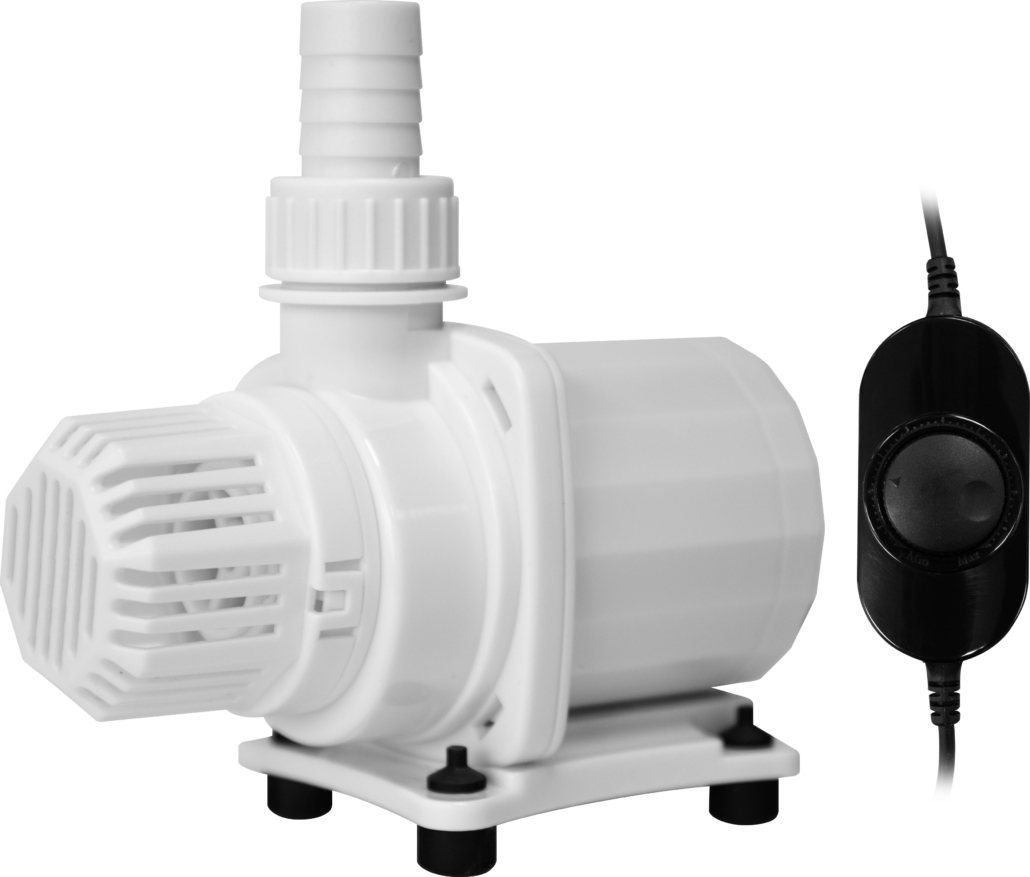
DC Power 1000-2000
User manual
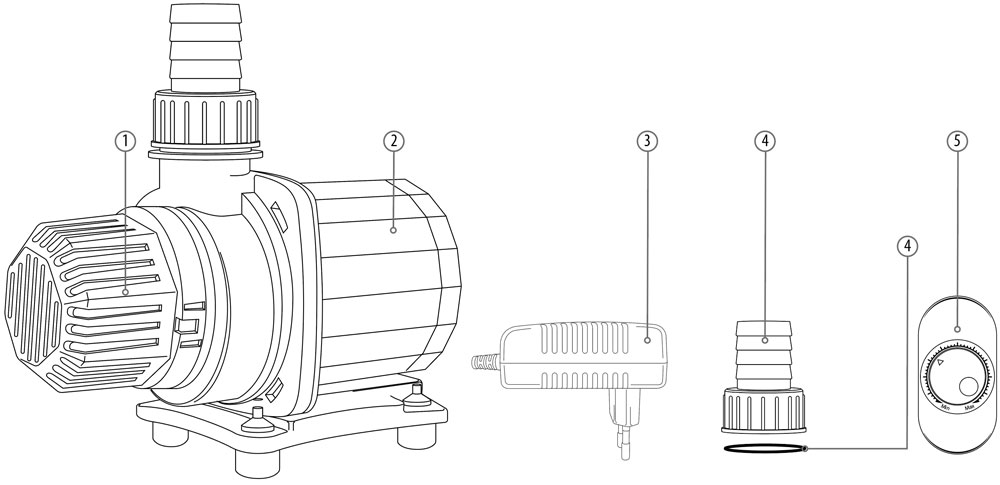
Parts
1
Protector
2
Pump
3
Adapter
4
ø 16 mm + Seal
5
Controller
Parts
1
Protector
2
Pump
3
Adapter
4
ø 16 mm + Seal
5
Controller
Installation
1
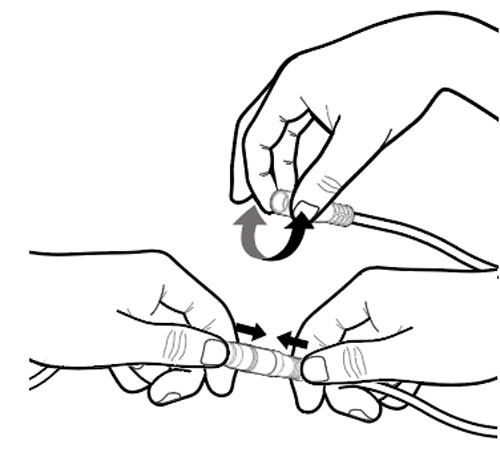
Connect one cable from the controller to the pump cable and the other to the adapter cable. To make sure there is a good connection slide the 2 plugs firmly into each other. To make this easier you can soften the part that goes over the other plug with your fingers.
2
Put the adapter’s AC plug into the power socket and the pump will start.
3
The controller is not waterproof. Damage caused by water is not covered by warranty.
Installation
1
Connect one cable from the controller to the pump cable and the other to the adapter cable. To make sure there is a good connection slide the 2 plugs firmly into each other. To make this easier you can soften the part that goes over the other plug with your fingers.
2
Put the adapter’s AC plug into the power socket and the pump will start.
3
The controller is not waterproof. Damage caused by water is not covered by warranty.
Maintenance
1
Clean the pump monthly, depending on water and pollution conditions.
2
Regular cleaning extents the lifetime of the pump
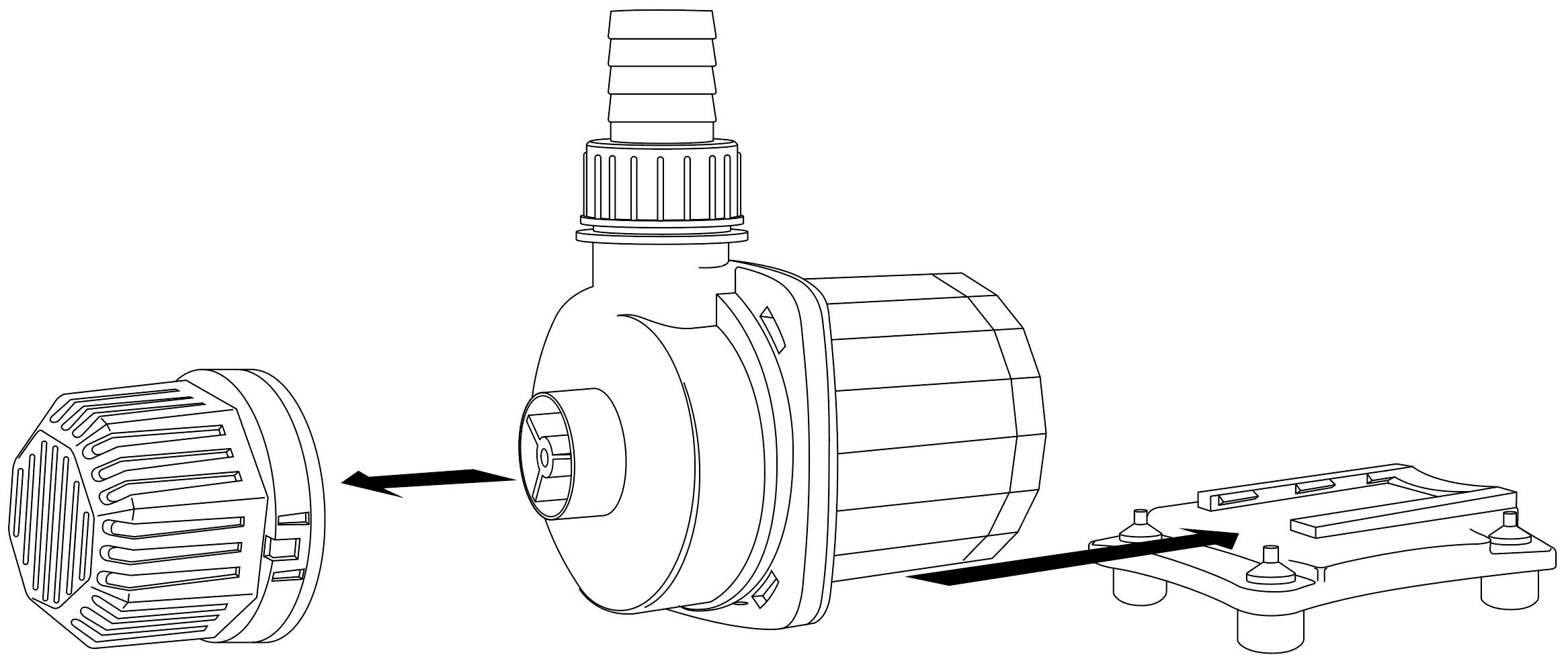
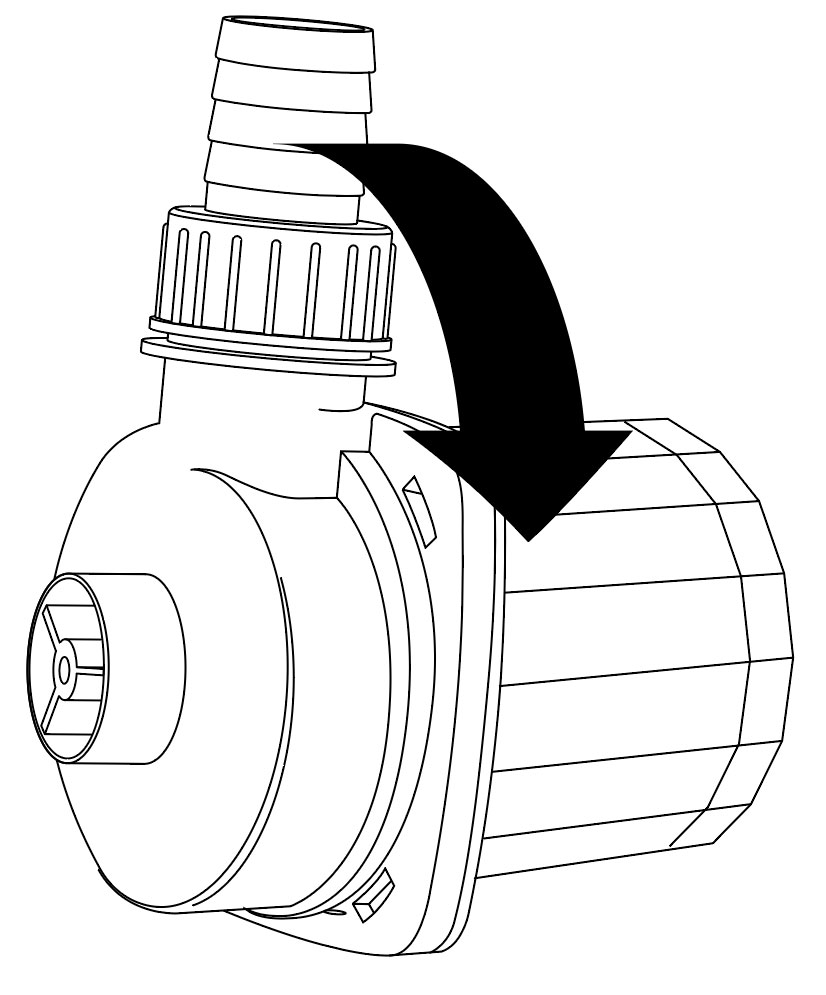
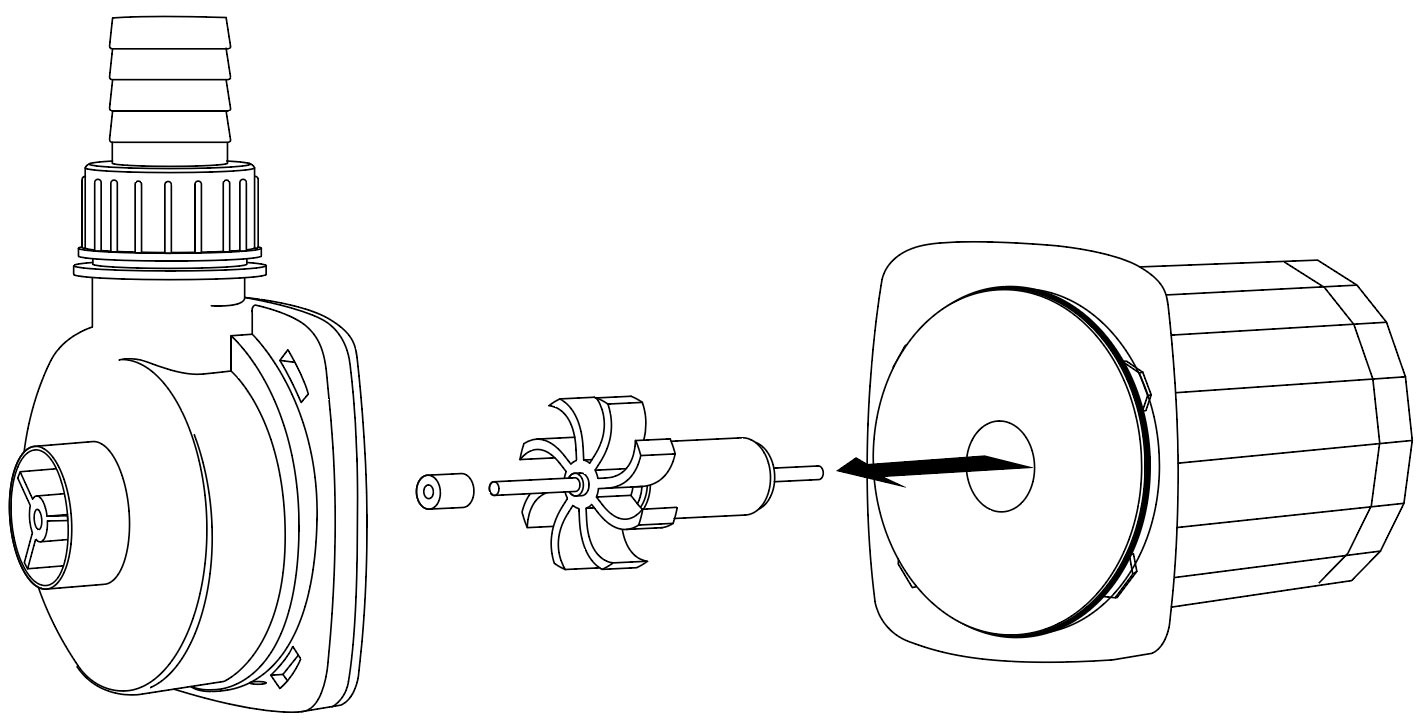
Cleaning
1
Clean the chamber inside with the brush;
2
Clean the surfaces of the magnet and the impeller;
3
Clean the shaft, bearing and other space parts inside.
Troubleshooting
Stall protection: when something blocks the pump, so that the rotor cannot rotate, the pump will automatically stop running after 1 sec. Switch off the pump and remove the blockage. Now the pump can be turned on again.
Water shortage protection: when there is too little water for the pump, it will stop running after 10 seconds. After 1 minute, the water pump will automatically start running. If there is still too little water, the pump will stop again after 10 seconds. After two of these cycles, the pump will continue in a cycle of stopping for 300 seconds and running for 10 seconds. This will ensure that the pump is not damaged. If enough water is detected during the 10-second operation of the pump, the protection is automatically released and the pump resumes normal operation. (only DC 2000)