


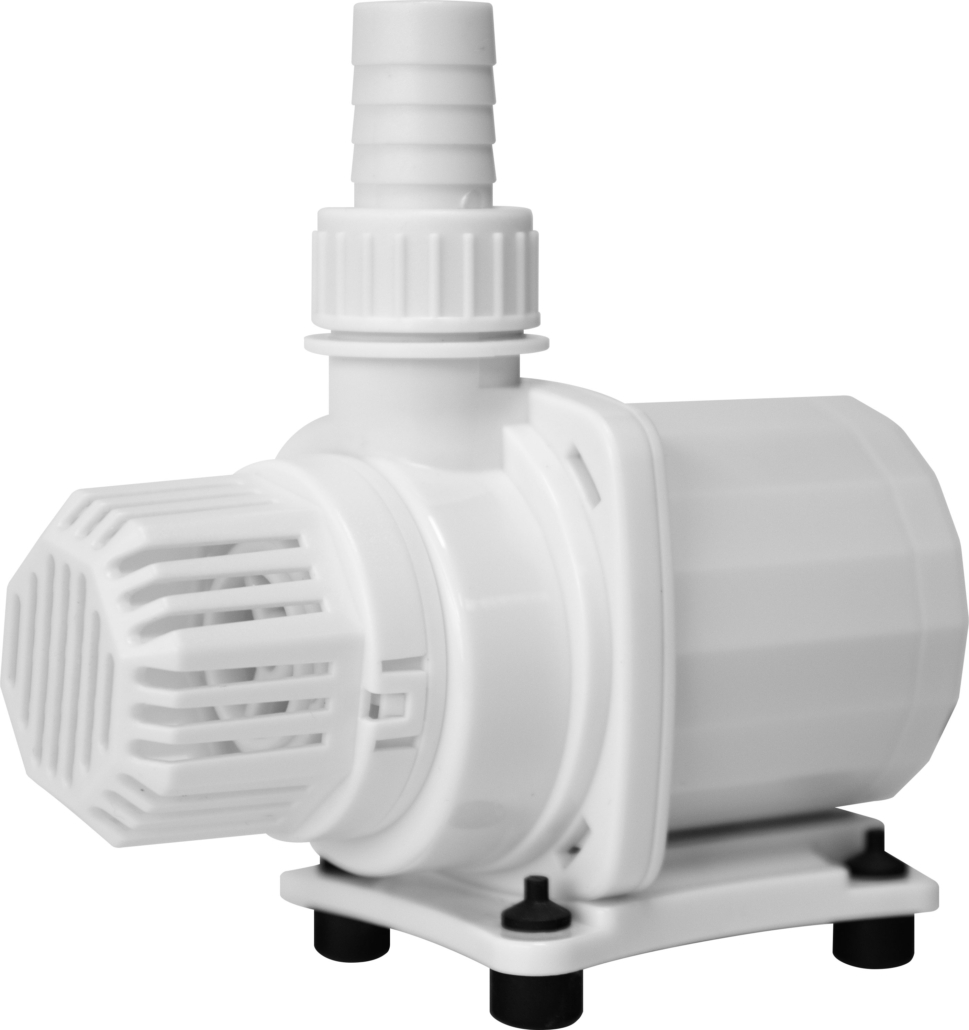
DC Power 4000-6000-8000
User manual
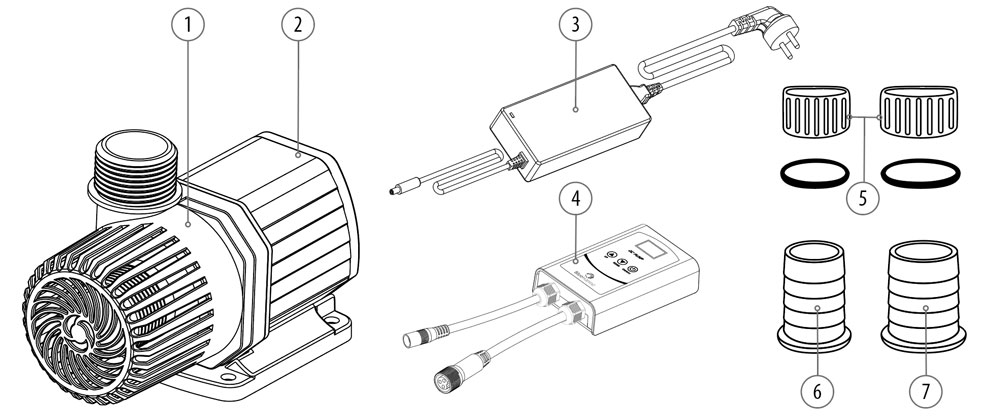
Parts
1
Protector
2
Pump
3
Adapter
4
Controller
5
Hose cap and seal
6
ø 26 mm
7
ø 32 mm
Parts
1
Protector
2
Pump
3
Adapter
4
Controller
5
Hose cap and seal
6
ø 26 mm
7
ø 32 mm
Installation
1
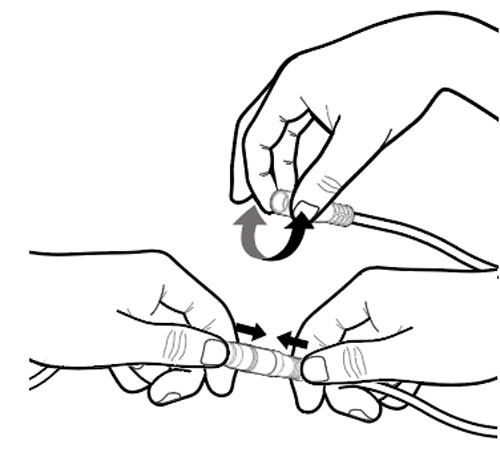
Connect one cable from the controller to the pump cable and the other to the adapter cable. To make sure there is a good connection slide the 2 plugs firmly into each other. To make this easier you can soften the part that goes over the other plug with your fingers.
2
Put the adapter’s AC plug into the power socket and the pump will start.
3
The controller is not waterproof. Damage caused by water is not covered by warranty.
Installation
1
Connect one cable from the controller to the pump cable and the other to the adapter cable. To make sure there is a good connection slide the 2 plugs firmly into each other. To make this easier you can soften the part that goes over the other plug with your fingers.
2
Put the adapter’s AC plug into the power socket and the pump will start.
3
The controller is not waterproof. Damage caused by water is not covered by warranty.
Operation
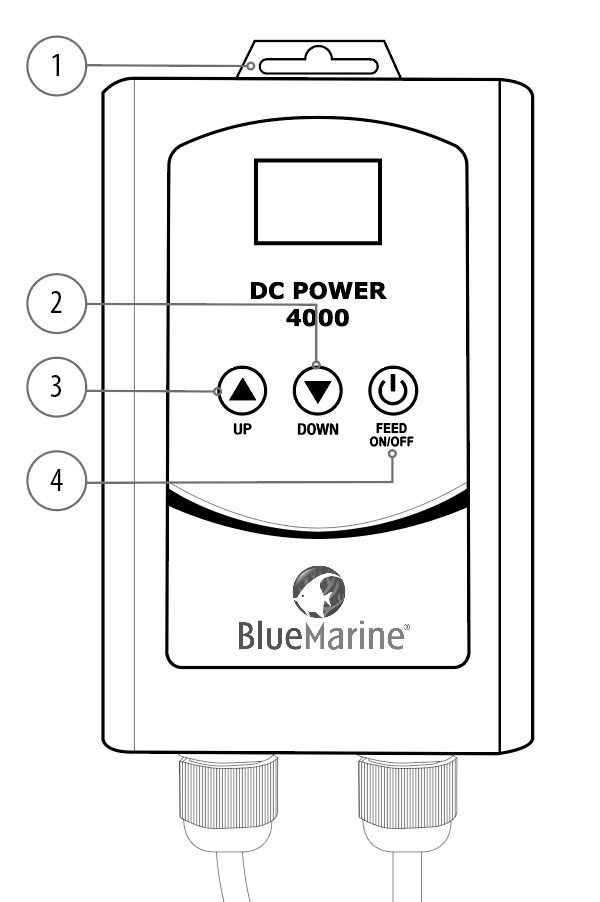
Speed up/down: Change the running speed of the pump, to adjust the flow. The pump has 9 speed modes, corresponding displayed as ‘01-09’ in the LED display. ‘09’ Is the maximum speed of the pump.
Feeding ON/OFF: Press this button to stop the pump for 10 minutes. After 10 minutes, the pump will operate automatically. This function gives you the time to feed your fish without getting food in the filter. If you press the button again the pump will work again.
Maintenance
1
Clean the pump monthly, depending on water and pollution conditions.
2
Regular cleaning extents the lifetime of the pump
Cleaning
1
Clean the chamber inside with the brush;
2
Clean the surfaces of the magnet and the impeller;
3
Clean the shaft, bearing and other space parts inside.
Disassembling sequence
1
Remove the base by sliding it back and remove the front protector.
2
Take out the pump rotor.
Note: Please check whether the impeller works smoothly before installation. If not, please adjust it accordingly.
3
Turn the pump head clockwise
(Face the water inlet of pump) and dismantle it.
Troubleshooting
No water protection: When the pump is out of the water for more than 1 minute, the protection function starts and the pump stops running. At the same time, the LED display shows ‘E0’. The pump will try to resume work 9 times (each time for 1 minute), If after 9 times the problem still is not solved the pump will not automatically resume. You need to cut off the power supply and solve the problem before it can start working normally again.
Under voltage protection / overvoltage protection: When the pump input voltage is below or above the standard voltage and holds for more than 1 second, the system will automatically enable protection to stop the pump. After the input voltage has returned to normal and holds for more than 3 seconds, the system will automatically restart the pump. When the under voltage protection is activated, the LED display shows ‘EL’, when the over voltage protection is activated, the LED display shows ‘EH’.
Overload protection: When the pump is running and the pump load exceeds the rating the system identifies it as pump overload. The overload protection function is activated after about 1.5 seconds after the pump has stopped running. This protection function has the Inverse-time characteristic, the higher the overload, the faster the trigger. Starts automatically after the pump stops for 1 second, and the system will repeat the protection process until the overload is eliminated. When the overload protection is triggered, the LED display shows ‘EF’.
Over-temperature protection: The pump automatically stops running when the controller temperature exceeds 80°C, the LED display shows ‘EC’. The pump automatically starts running again when the controller temperature returns to 65°C or less.