


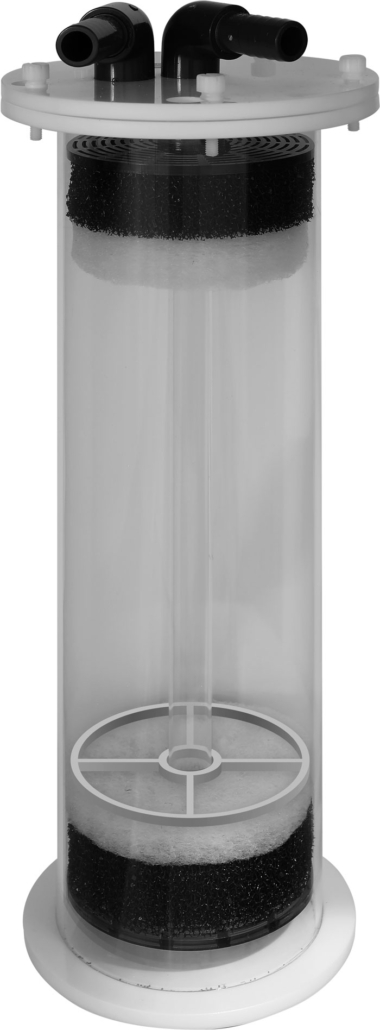
Multi Reactor 900-2100
User manual
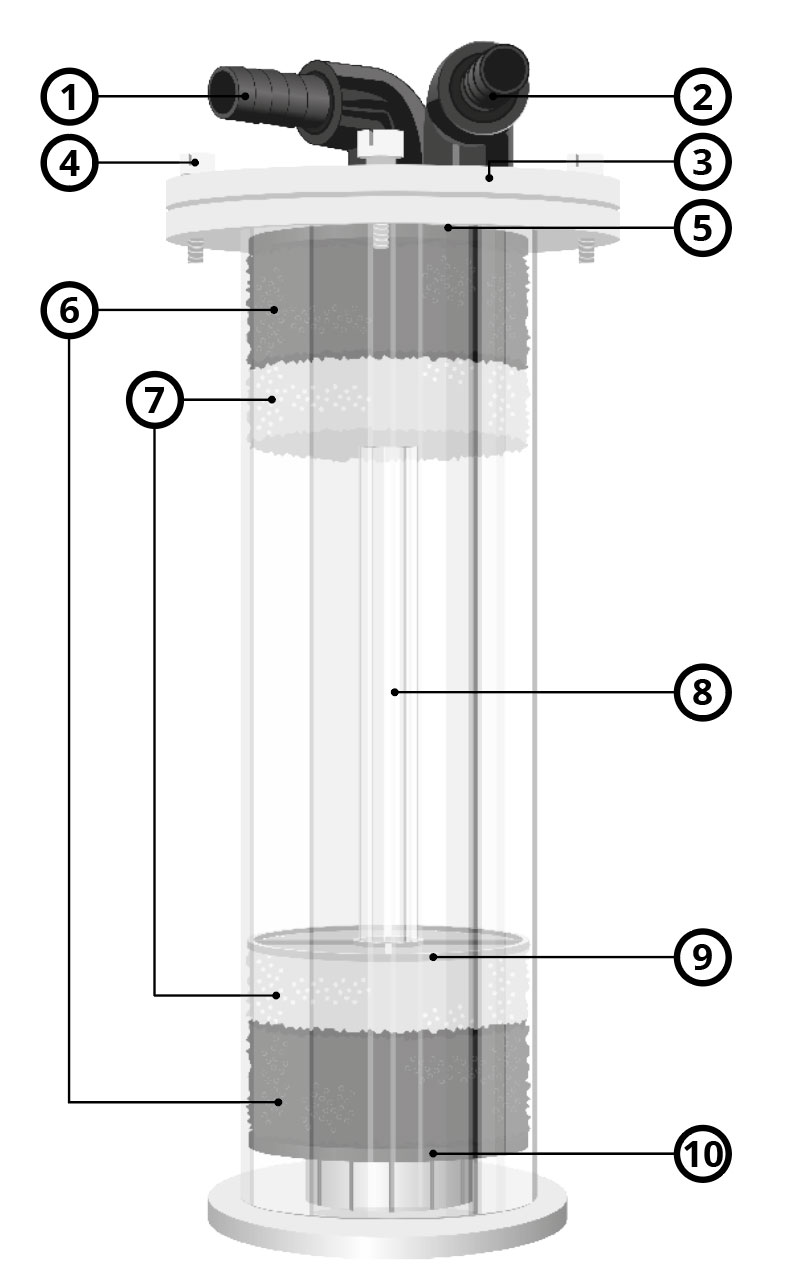
Parts
1
Water inlet
2
Water outlet
3
Top lid
4
Nylon screws
5
Top perforated plate
6
Filter sponge coarce
7
Filter sponge fine
8
Standing pipe
9
Filter sponge ring
10
Bottom perforated plate
Parts
1
Water inlet
2
Water outlet
3
Top lid
4
Nylon screws
5
Top perforated plate
6
Filter sponge coarce
7
Filter sponge fine
8
Standing pipe
9
Filter sponge ring
10
Bottom perforated plate
Installation
1
Open the nylon screws on the cover of the media chamber and rotate clockwise, and place the stand pipe with the mounted bottom perforated plate into the filter first.
2
Place the filter sponge coarce and the filter sponge fine (depending on the media) and place the filter sponge ring (to prevent floating).
3
Add media, fill the MultiReactor up to half full maximum (the filter material has to swirl).
4
Mount the second perforated plate with the filter sponges underneath after filling.
5
Put the cover back in place and check carefully that the seal ring stays in place. Close lid with the nylonscrews.
6
Connect the pump to the water inlet.
7
Once you connected the water supply firstly fill the MultiReactor completely with water and check for any leakage.
8
Now turn the pump on and check again for any leakage.
Maintenance
1
Check daily if your Reactor is functioning properly.
2
Depending on what kind of media you are using, the size of your aquarium and the water quality you will need to replace your media from time to time, read the instruction on the media package for advice.
3
Check and clean pump regularly to ensure it does not become clogged.
Technical data
| Multi Reactor 900 | Multi Reactor 2100 | |
|---|---|---|
| Pipe diameter | 90 mm | 120 mm |
| Total Height | 360 mm | 450 mm |
| Media | 1,7 Litre | 3,5 Litre |
| Outlet | 16 mm | 19 mm |
| Recommended Pump | 1000l/h DC Power 1000 | 2000l/h DC Power 2000 |
| Recommended Tank | 900 Litre | 2000 Litre |
| Footprint | 100 mm | 150 mm |